
What to include on an invoice
The details every invoice needs, the ones your country may add, and the mistakes that delay payment.

An invoice needs to answer four questions without any back-and-forth: who is billing whom, for what, how much, and how and when to pay. In practice that means the word “Invoice”, a unique invoice number, the date, your details and the client’s, an itemised list with prices, tax if you charge it, the total, the due date and payment instructions. The free invoice generator has a field for each of these.
Rules differ by country. This is a practical checklist, not tax or legal advice.
The checklist
| Item | Why it matters |
|---|---|
| The word “Invoice” | Separates it from an estimate or a receipt |
| Invoice number | A unique, sequential reference for you, the client and the tax office |
| Issue date | Starts the payment clock and places it in the right tax period |
| Due date or payment terms | Tells the client exactly when to pay |
| Your business name and address | Shows who is asking for payment |
| Your contact details | Email or phone for questions |
| Client name and address | Shows who owes the money; companies often need their legal name |
| Line items | What you did or sold, with quantity, unit price and line total |
| Subtotal | The sum before discount and tax |
| Discount, if any | Shown separately so the client sees the saving |
| Tax, if you charge it | Tax name, rate and amount |
| Total due | The one number the client pays, with the currency |
| Payment instructions | Bank details, a payment link, or accepted methods |
Details by section
Header
Put “Invoice” at the top, your business name and logo, the invoice number and the date. A purchase order (PO) number from the client goes here too if they gave you one; larger companies often will not pay an invoice without it.
Seller and buyer
Your business name, address, email or phone, and the client’s name and address. If the client is a company, use its registered name, not just the contact person’s.
Line items
One line per product or service: a short, clear description, the quantity (hours, days, units), the unit price and the line total. “Website design, homepage and three pages, 12 hours” is easier to approve than “Design work”.
Totals
Show the subtotal, then any discount, then tax with its name and rate (VAT 20%, GST 10%, sales tax 8.25%), then the total due and its currency. In the generator, tax is calculated after the discount, which is the usual order.
Payment terms and instructions
Write the due date in full, or a term such as Net 30 that the date follows from. Then say how to pay: bank name, account holder, account number or IBAN and SWIFT/BIC for transfers, or a payment link. If you charge late fees, say so here. Our guide to Net 30 and other payment terms explains the common ones.
What your country may add
Many countries add requirements, especially for businesses registered for VAT or GST:
- Your tax registration number, such as a VAT or GST number, and sometimes the client’s.
- The date of supply, if different from the invoice date.
- Specific wording for reverse-charge or tax-exempt sales.
- Electronic formats for some business-to-business or government invoices, such as structured e-invoices.
Check your tax authority’s guidance or ask an accountant before you rely on a template.
Mistakes that delay payment
- No due date. “Upon receipt” without a date gets put at the bottom of the pile.
- Vague items. If the client cannot tell what a line is for, they ask, and the clock stops.
- Missing PO number for clients who use them.
- Wrong client name: invoicing a person when the company pays, or the other way round.
- Duplicate or skipped numbers, which confuse both your records and theirs.
- No payment details. Make paying the easiest step.
Invoice, estimate or receipt?
An estimate proposes a price before work starts. An invoice asks for payment afterwards. A receipt confirms that payment was received. The differences are covered in invoice vs receipt.
Make one now
The free invoice generator has a field for each item above, builds the PDF in your browser and keeps nothing on a server. Paidly for iPhone, iPad and Mac adds a client list with each client’s terms and currency, recurring invoices, and payment tracking that shows what is overdue.
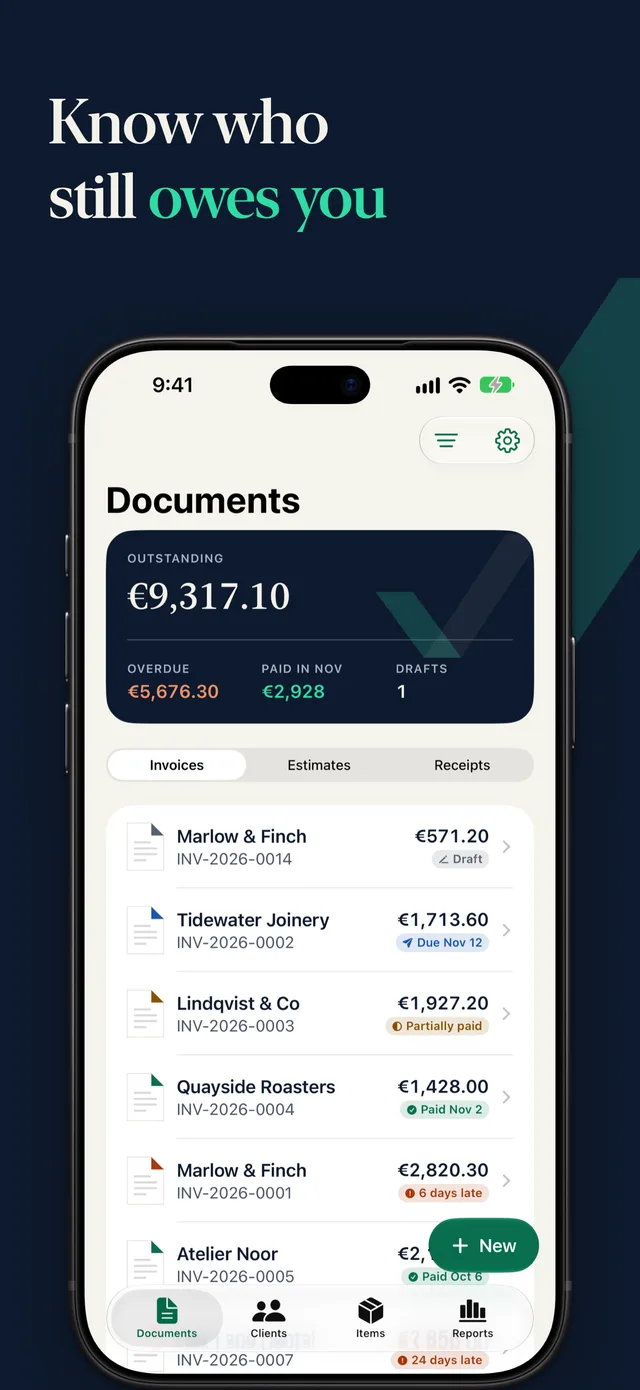
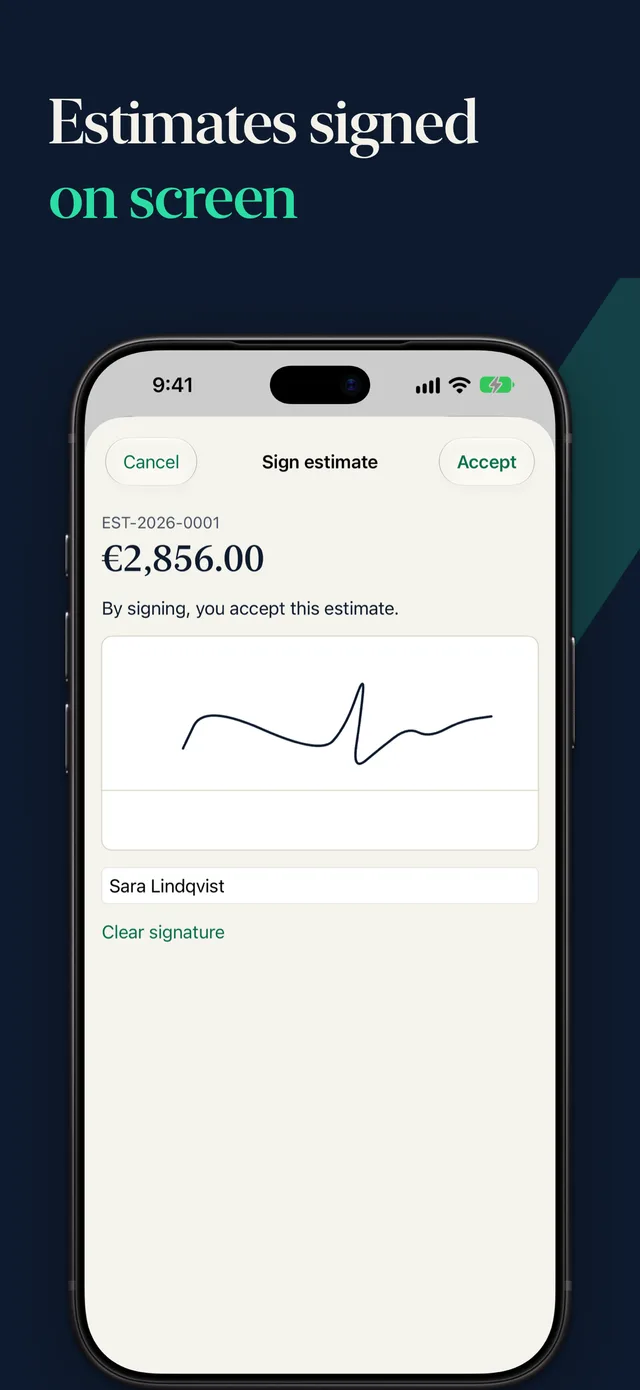
The invoice is the easy part
Paidly on iPhone, iPad and Mac keeps track of what comes after it.
- Clients
- Each client with their address, payment terms, currency and language, ready for the next invoice.
- Recurring invoices
- Repeat an invoice every week, month, quarter or year.
- Payments
- Record full and part payments. The first screen shows what is outstanding and what is overdue.
- Signed estimates
- The client signs the estimate on screen, and it turns into an invoice in one tap.
Free to start with unlimited drafts and three sent documents a month. Recurring invoices, reminders and signed estimates come with Paidly Pro.
Questions
What are the essential parts of an invoice?
The word Invoice, a unique invoice number, the issue date, your business details, the client's details, a list of goods or services with prices, any tax, the total due, the due date and how to pay.
Does an invoice need an invoice number?
Yes. A unique, sequential number lets you and your client refer to it, and many tax authorities require one. Never reuse a number.
Do I need to show tax on an invoice?
If you are registered for VAT, GST or sales tax, you usually must show the tax rate, the tax amount and your tax registration number. Rules depend on the country, so check yours.
Should I include payment terms?
Yes. State the due date or the terms, such as Net 30, and how to pay, such as bank details or a payment link. Clear terms are one of the simplest ways to get paid on time.
What is the difference between an invoice and a receipt?
An invoice asks for payment; a receipt confirms that payment was received. An invoice comes first, a receipt after the client pays.
More invoicing guides
- Invoice vs receipt
- Net 30 and other payment terms, explained
- How to ask for payment politely
- How to invoice a deposit
- How to cancel or correct an invoice with a credit note
- How to invoice for hours worked
- How to bill clients on a recurring invoice
- How to make an invoice on iPhone
- How to write an estimate that turns into an invoice
Invoice templates by trade
Each one opens the generator filled with the lines that trade bills for.
Freelancer invoice template
A project fee, extra hours, payment terms.
Invoice $2,340.00
Cleaning invoice template
Monthly visits, a deep clean, supplies.
Invoice $785.00
Construction estimate template
Labor, materials, a validity date.
Estimate $5,220.00
Photography invoice template
Coverage, second shooter, album, package discount.
Invoice $3,825.00