
How to ask for payment politely
When to follow up, what to say, and four reminder emails you can copy, from a friendly nudge to a final notice.

To ask for payment politely, keep the message short, assume the delay is an oversight, and make paying easy: name the invoice number, the amount and the due date, attach the invoice again, and repeat how to pay. Send reminders on a schedule, getting firmer each time, and keep everything in writing.
Before you need to chase
Most late payments start with an unclear invoice. Avoid them up front:
- Agree payment terms before the work, and put them in the quote or contract. Our guide to Net 30 and other payment terms explains the options.
- Put a real due date on the invoice, not just “Net 30”.
- Send the invoice to the person who pays, which is often accounts payable, not your contact.
- Include everything they need, such as a PO number. See what to include on an invoice.
A reminder schedule
| When | Message | Tone |
|---|---|---|
| 3 days before due | Friendly heads-up | Helpful |
| On the due date or 1 day after | Reminder | Polite, matter-of-fact |
| About 7 days overdue | Follow-up | Firm, asks for a date |
| 14 to 30 days overdue | Final notice | Formal, states next steps |
Adjust it to your terms and your relationship with the client. A long-standing client who is a week late deserves a softer touch than a new one who has gone silent.
Template 1: before the due date
Subject: Invoice 1042 for $850, due Friday 14 March
Hi Sam,
A quick reminder that invoice 1042 for $850 is due this Friday, 14 March. I’ve attached it again for convenience. You can pay by bank transfer to the details on the invoice.
Thanks again for the project. Let me know if anything is unclear.
Best, Alex
Template 2: on the due date
Subject: Invoice 1042 for $850 is due today
Hi Sam,
Just a reminder that invoice 1042 for $850 is due today. I’ve attached a copy. If it’s already been paid, thank you, and please ignore this message.
Best, Alex
Template 3: a week overdue
Subject: Invoice 1042 for $850, now 7 days overdue
Hi Sam,
I haven’t yet received payment for invoice 1042 for $850, which was due on 14 March. Could you let me know when I can expect it? If there’s a problem with the invoice, or it needs to go to someone else, I’m happy to sort that out.
Invoice attached again.
Thanks, Alex
Template 4: final notice
Subject: Final notice: invoice 1042 for $850, 30 days overdue
Hi Sam,
Invoice 1042 for $850 was due on 14 March and is now 30 days overdue. I’ve sent reminders on 14, 21 and 28 March.
Please arrange payment by 21 April. If I haven’t received it by then, I’ll [pause further work / apply the late fee in our agreement / pass this to a collection service].
If there’s something preventing payment, please reply and let’s resolve it.
Regards, Alex
Only state a next step you will actually take, and only fees that were in your agreed terms.
Tips that get invoices paid
- Put the essentials in the subject line: number, amount, status. It gets the email forwarded to the right person.
- Attach the invoice every time. Nobody wants to search their inbox.
- Offer an easy way to pay: bank details in the email, or a payment link.
- Ask a question. “When can I expect payment?” gets a reply more often than a statement.
- Stay polite in writing, even when you are frustrated. Your emails are the record if it ever goes further.
- Call after two unanswered emails, then confirm by email what was agreed.
Let the app track it
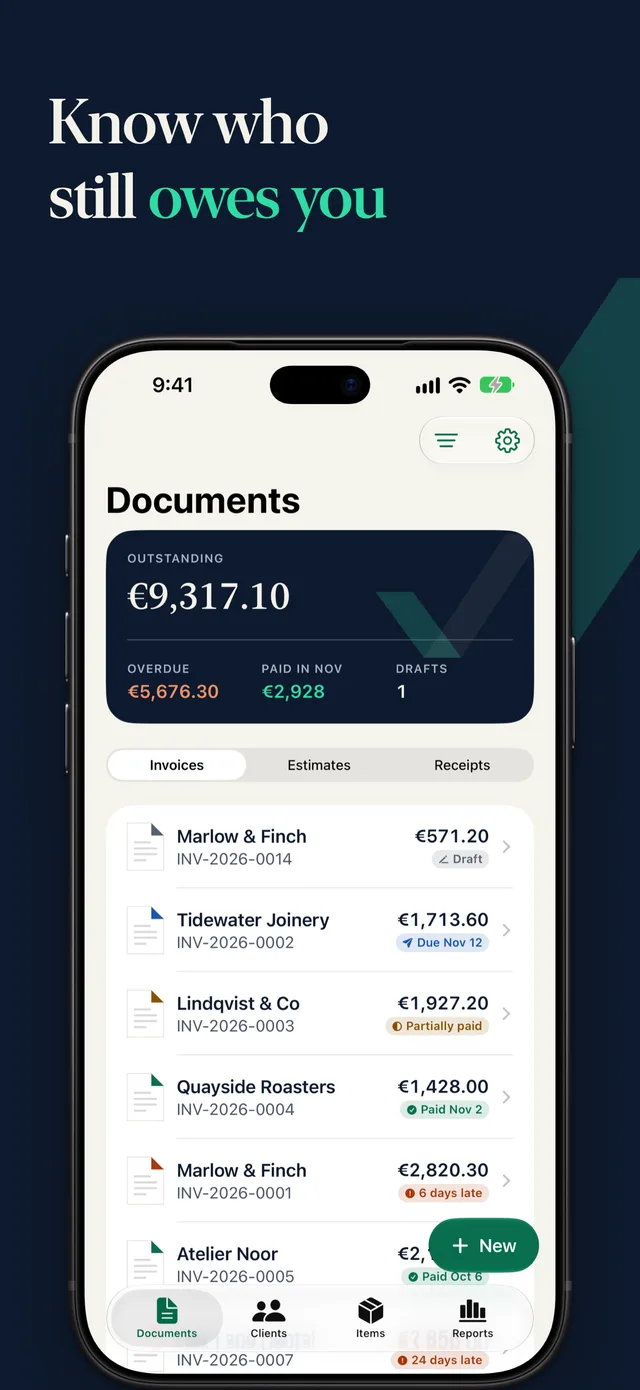
Paidly for iPhone, iPad and Mac records full and part payments against each invoice and shows on its first screen what is outstanding and what is overdue, so you know who to remind and when. Payment reminders come with Paidly Pro. To make the invoice itself, the free invoice generator builds a PDF in your browser.
The invoice is the easy part
Paidly on iPhone, iPad and Mac keeps track of what comes after it.
- Clients
- Each client with their address, payment terms, currency and language, ready for the next invoice.
- Recurring invoices
- Repeat an invoice every week, month, quarter or year.
- Payments
- Record full and part payments. The first screen shows what is outstanding and what is overdue.
- Signed estimates
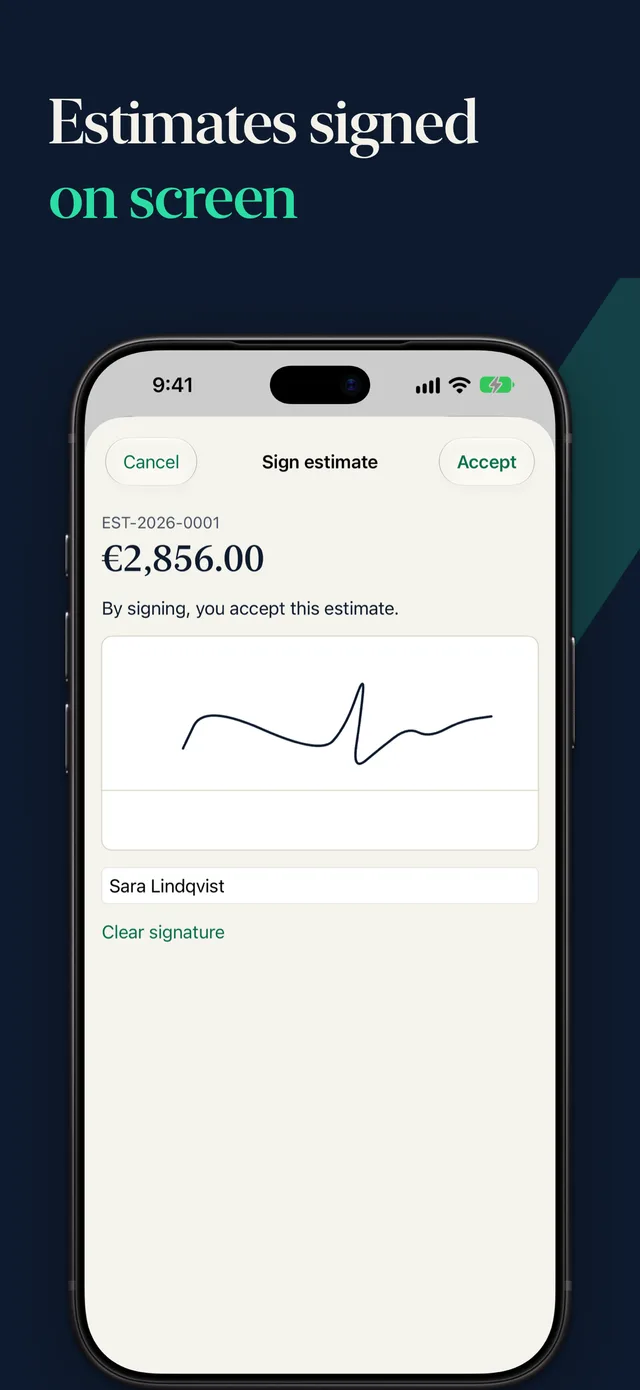
- The client signs the estimate on screen, and it turns into an invoice in one tap.
Free to start with unlimited drafts and three sent documents a month. Recurring invoices, reminders and signed estimates come with Paidly Pro.
Questions
How do you politely ask for payment?
Be brief, friendly and specific: name the invoice number, the amount and the due date, attach the invoice again and say how to pay. Assume it was an oversight.
When should I send a payment reminder?
A common rhythm is a friendly note a few days before the due date, a reminder on the day or just after, a firmer follow-up about a week later, and a final notice after two to four weeks.
What should the subject line of a payment reminder say?
The invoice number, the amount and the status, for example: Invoice 1042 for $850, due Friday. Clear subjects get opened and forwarded to the right person.
Should I call or email about a late payment?
Email first, so there is a written record. If two emails get no reply, a short phone call often solves it faster, followed by an email that confirms what was agreed.
What if the client still doesn't pay?
Send a final notice with a firm date and the next step you will take, such as pausing work, charging late fees agreed in your terms, or using a collection service or small claims process. Check local rules first.
More invoicing guides
- What to include on an invoice
- Invoice vs receipt
- Net 30 and other payment terms, explained
- How to invoice a deposit
- How to cancel or correct an invoice with a credit note
- How to invoice for hours worked
- How to bill clients on a recurring invoice
- How to make an invoice on iPhone
- How to write an estimate that turns into an invoice
Invoice templates by trade
Each one opens the generator filled with the lines that trade bills for.
Freelancer invoice template
A project fee, extra hours, payment terms.
Invoice $2,340.00
Cleaning invoice template
Monthly visits, a deep clean, supplies.
Invoice $785.00
Construction estimate template
Labor, materials, a validity date.
Estimate $5,220.00
Photography invoice template
Coverage, second shooter, album, package discount.
Invoice $3,825.00