
How to invoice for hours worked
Track the time, round it fairly, and write line items that show the client what each hour paid for.

To invoice for hours worked, put the hours in the quantity, your hourly rate in the price, and a short description of the work on each line. The amount is hours times rate, and the invoice total is the sum of the lines plus any expenses and tax. What makes an hourly invoice get paid without questions is the detail: dates, tasks and hours the client can check against what they saw.
1. Agree the rate and the rules first
Before the first hour, write down:
- The hourly rate, and the currency.
- What counts as billable: calls, travel, email, research, revisions.
- The rounding increment, such as 15 minutes.
- A minimum, if you have one, such as one hour per call-out.
- How often you invoice and your payment terms.
- A cap or estimate of total hours, if the client needs one, and what happens when you reach it.
An email the client replies “agreed” to is enough for small jobs. Disputes over hourly invoices almost always come from one of these points left unsaid.
2. Track the time as you work
Reconstructing a week from memory on Friday loses hours and invites doubt. Record each block when it happens: the date, the client, what you did, and the start and end time or the duration. A timer app, a spreadsheet or a notebook all work, as long as you write it down the same day.
Keep the notes specific. “Homepage layout, mobile fixes” is something a client can check. “Work on site” is not.
3. Convert minutes to decimal hours
Invoices multiply quantity by price, so hours must be decimals:
| Time | Decimal hours |
|---|---|
| 6 minutes | 0.1 |
| 15 minutes | 0.25 |
| 20 minutes | 0.33 |
| 30 minutes | 0.5 |
| 45 minutes | 0.75 |
| 1 hour 10 minutes | 1.17 |
| 2 hours 40 minutes | 2.67 |
To convert, divide the minutes by 60 and add the whole hours. Round to two decimals.
4. Round the same way every time
Common choices:
- Quarter hours (15 minutes). Simple and widely used.
- Tenths of an hour (6 minutes). Common in law and accounting, where many tasks are short.
- Exact minutes. The fairest, and easy when a timer does the counting.
Rounding every five-minute email up to 15 minutes adds up quickly, and clients notice. If you round up, round the total for the day or the task, not each tiny entry.
5. Write the line items
There are three common layouts. Pick the one that matches how the client thinks about the work.
One line per day suits on-site and support work:
| Description | Qty | Price | Amount |
|---|---|---|---|
| 3 Nov: bathroom tiling, prep and first wall | 7.5 | 45.00 | 337.50 |
| 4 Nov: tiling, second wall and grout | 6 | 45.00 | 270.00 |
One line per task suits project work:
| Description | Qty | Price | Amount |
|---|---|---|---|
| Homepage design, two rounds of changes | 9.25 | 80.00 | 740.00 |
| Contact form and email setup | 2.5 | 80.00 | 200.00 |
One line per week or month, with a timesheet attached suits long engagements where the client wants a short invoice and the detail elsewhere.
If you charge different rates for different work, such as design and travel, give each its own line with its own rate. Never blend them into one average rate.
6. Add expenses, discounts and tax
Put expenses you pass on, such as materials, parking or software bought for the client, on their own lines with a quantity of 1 and the actual cost. Some contracts allow a handling markup on materials; if yours does, say so on the line.
If you agreed a cap and went over it, show the full hours and then a discount line down to the cap. The client sees that you kept your word, and sees the hours they did not pay for.
Add tax if you are registered to charge it. See what to include on an invoice for the tax details your country may require.
7. Send it on schedule
Hourly invoices are easier to approve when they are small and regular. A client who gets a bill for 12 hours every week can check it in a minute. A bill for 160 hours after three months gets questioned line by line.
When you send it, add one sentence that sums up the period: “Invoice 1051 for 14.5 hours on the booking system, 3 to 14 November.” If it goes unpaid, the guide on how to ask for payment has reminder wording.
Make an hourly invoice now
The free invoice generator accepts decimal quantities, so enter the hours as the quantity and your rate as the price. Add a line per day or task, set the tax and currency, and download the PDF. The freelancer invoice template opens it with an hourly line for extra revisions as an example.
Hours in Paidly
Paidly for iPhone, iPad and Mac has a timer you start for a client and project. On the Mac it also shows in the menu bar. Stopped timers wait in a Time list until you open an invoice and choose Add tracked time, where you pick the entries and the hourly rate and each one becomes a line item with its hours. Time tracking is part of Paidly Pro.
The invoice is the easy part
Paidly on iPhone, iPad and Mac keeps track of what comes after it.
- Clients
- Each client with their address, payment terms, currency and language, ready for the next invoice.
- Recurring invoices
- Repeat an invoice every week, month, quarter or year.
- Payments
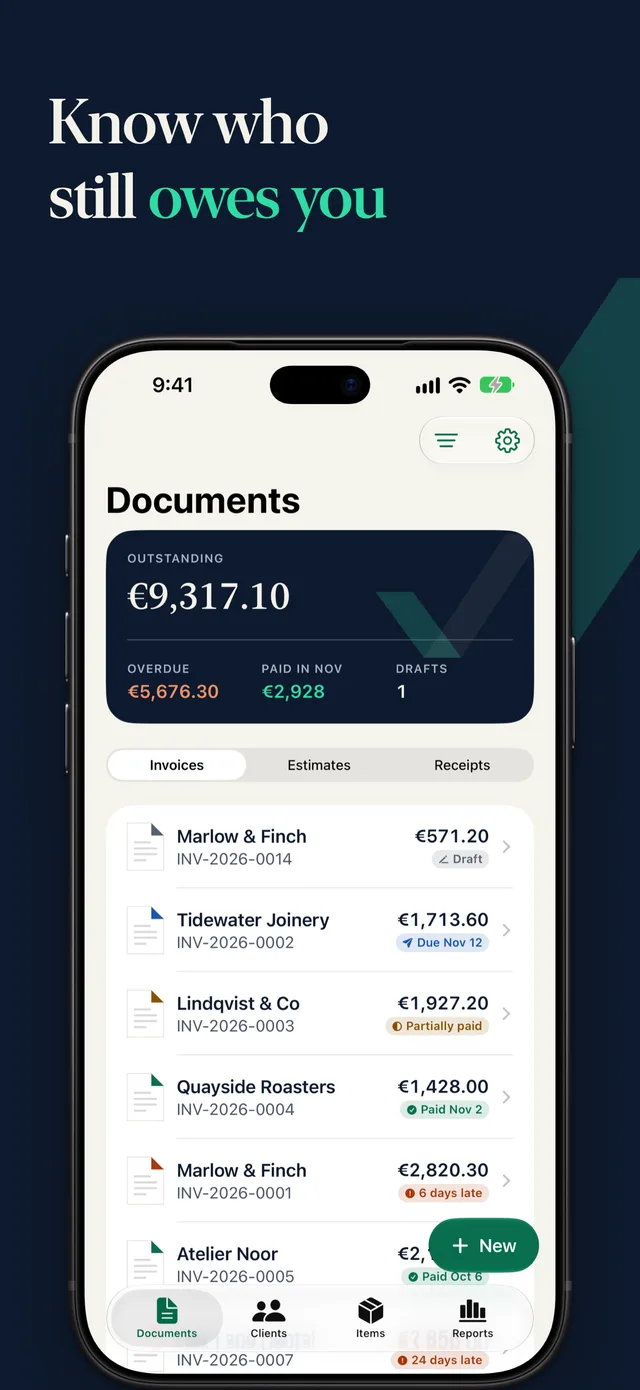
- Record full and part payments. The first screen shows what is outstanding and what is overdue.
- Signed estimates
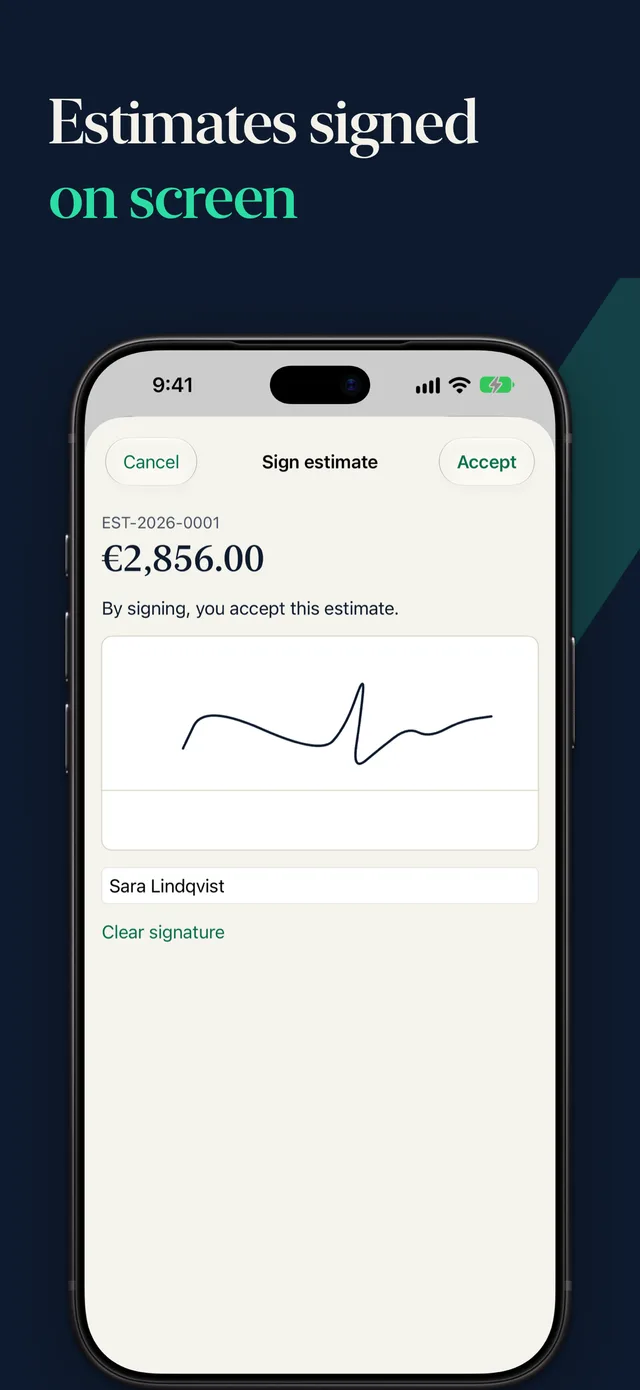
- The client signs the estimate on screen, and it turns into an invoice in one tap.
Free to start with unlimited drafts and three sent documents a month. Recurring invoices, reminders and signed estimates come with Paidly Pro.
Questions
How do I write hours on an invoice?
Use the quantity for the hours and the price for your hourly rate, for example Website fixes, 3.5 hours at USD 80, amount USD 280. Add the date or week and a short description of the work on each line.
Should I bill in decimal hours or hours and minutes?
Decimal hours. 1 hour 30 minutes is 1.5, 1 hour 15 minutes is 1.25, 45 minutes is 0.75. Multiplying 1:30 by a rate gives the wrong total; multiplying 1.5 does not.
How should I round billable time?
Pick one increment, such as 15 or 6 minutes, state it in your contract, and apply it the same way every time. Rounding each entry up to the next quarter hour is common for short tasks; rounding the weekly total is fairer on long ones.
How often should I send an hourly invoice?
Weekly, every two weeks or monthly for ongoing work, and at the end for short projects. Regular invoices keep each bill small and easy to check.
Do I need to attach a timesheet?
Not always. A line per day or per task is often enough. Some clients, especially agencies and companies with purchase orders, ask for a timesheet; attach one when they do.
More invoicing guides
- What to include on an invoice
- Invoice vs receipt
- Net 30 and other payment terms, explained
- How to ask for payment politely
- How to invoice a deposit
- How to cancel or correct an invoice with a credit note
- How to bill clients on a recurring invoice
- How to make an invoice on iPhone
- How to write an estimate that turns into an invoice
Invoice templates by trade
Each one opens the generator filled with the lines that trade bills for.
Freelancer invoice template
A project fee, extra hours, payment terms.
Invoice $2,340.00
Cleaning invoice template
Monthly visits, a deep clean, supplies.
Invoice $785.00
Construction estimate template
Labor, materials, a validity date.
Estimate $5,220.00
Photography invoice template
Coverage, second shooter, album, package discount.
Invoice $3,825.00