
How to bill clients on a recurring invoice
Retainers, maintenance plans and regular services: how to bill the same client every month without starting from scratch.

A recurring invoice is the same bill sent to the same client on a schedule, such as every month. It suits retainers, maintenance plans, cleaning contracts, lessons, rent for a desk or a storage unit, and any service the client pays for regularly. Each invoice in the series is a full invoice in its own right: it gets a new number and a new date, even though the client and the lines repeat.
Work that suits a recurring invoice
- Retainers: a fixed monthly fee for a set number of hours or for being available.
- Maintenance and support: website care, IT support, garden or pool upkeep.
- Regular services: weekly cleaning, monthly bookkeeping, a term of lessons.
- Rentals and memberships: a desk, a studio slot, equipment hire.
If the amount changes completely every time, it is ordinary invoicing on a schedule. The template still saves typing, but expect to rewrite the lines each time.
1. Agree the terms once
Before the first invoice, settle these with the client in writing:
- The amount and what it covers. “USD 600 a month for up to 8 hours of website support.”
- The schedule. Weekly, monthly, quarterly or yearly, and on which day.
- In advance or in arrears. Retainers and memberships are usually paid at the start of the period; services are often billed after they happen.
- Payment terms. A short term such as Net 7 or due on receipt works well for small monthly amounts. See Net 30 and other payment terms.
- What happens to extra work and unused hours.
- How either side ends it, and how much notice is needed.
2. Set the invoice date and the period
Pick a fixed day and keep it. The 1st of the month is easy to remember; the anniversary of the start date also works. Put the period covered on every invoice, as a line or in the description:
| Description | Qty | Price | Amount |
|---|---|---|---|
| Website support retainer, December 2026 | 1 | 600.00 | 600.00 |
Writing the period removes the most common question on a repeat bill: “Didn’t I already pay this one?”
3. Number each invoice like any other
Every invoice in the series takes the next number in your normal sequence. Do not give a recurring client their own repeating number or reuse last month’s. If it helps you sort, you can add the client or contract to the reference line, but the invoice number stays unique. The invoice number generator shows common numbering formats.
4. Check before each one goes out
A recurring invoice should never go out unread. Before sending each one, check:
- The period on the line is the right month or week.
- Extra work agreed this period has been added as its own line.
- Credits or pauses have been taken off, such as a skipped cleaning visit.
- The tax rate is still right, especially at the start of a new year.
- The client’s details have not changed: a new address, a new contact, a purchase order number.
A wrong amount repeated every month is harder to undo than a one-off mistake, because the client may have to correct several invoices. If one goes out wrong, issue a credit note rather than editing the sent invoice.
5. Handle extra hours and unused hours
Retainers create the most questions at the edges:
- Extra hours. Bill them on the same invoice as a separate line at the agreed rate, or on a separate invoice at the end of the month. The guide on invoicing for hours worked covers how to write those lines.
- Unused hours. Say in the agreement whether they roll over, expire or are refunded. Most retainers let them expire, which is why the agreement matters.
6. Raise prices with notice
When the price goes up, tell the client before the invoice changes, ideally one full period ahead: “From 1 February the retainer will be USD 650 a month.” The first invoice at the new rate should not be the first they hear of it.
7. Track what has been paid
With a bill every month, it is easy to lose track of one unpaid invoice in the middle of a paid series. Keep a list per client of each invoice, its due date and whether it was paid. When one is late, a short reminder that names the invoice number and period works best; see how to ask for payment.
Making the first one
The free invoice generator remembers what you typed in this browser, so next month you can open it, change the number, the dates and the period on the line, and download a new PDF. That works for one or two regular clients. It does not send invoices on a schedule or remind you when one is due.
Recurring invoices in Paidly
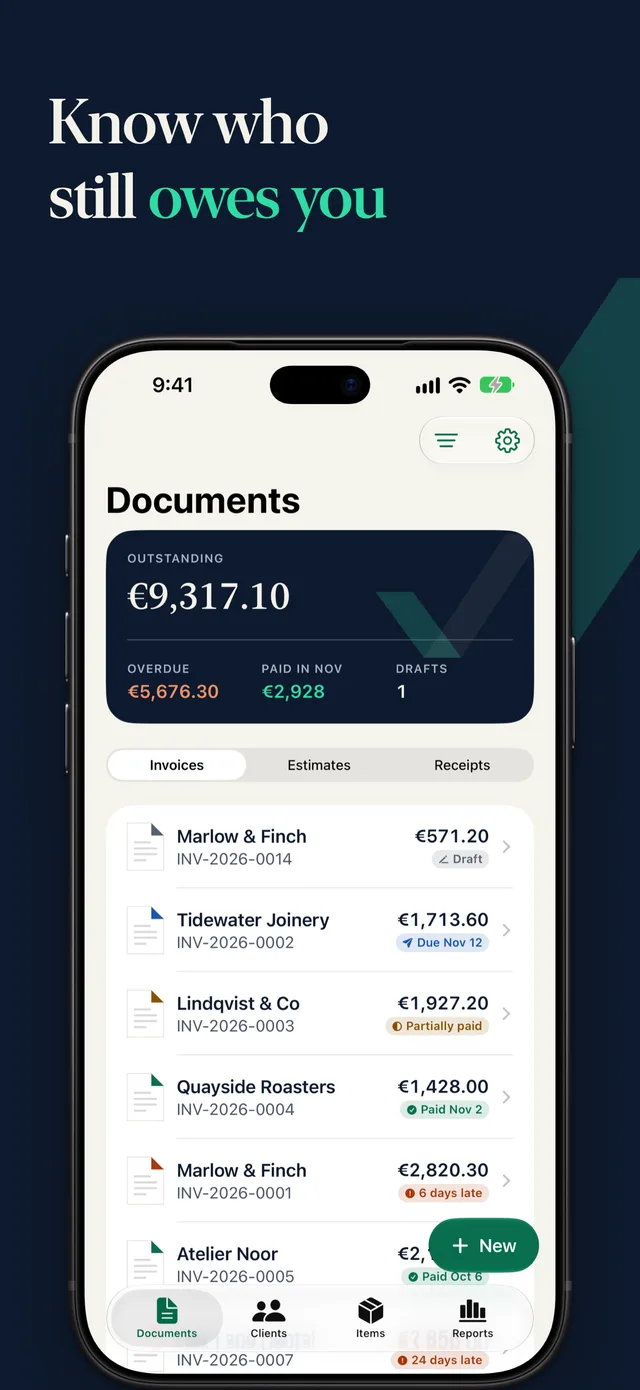
Paidly for iPhone, iPad and Mac repeats an invoice every week, month, three months or year. Each new invoice appears as a draft on its date with the next number, so you check it and send it yourself; nothing goes to a client without you seeing it. The first screen shows which invoices are outstanding and which are overdue. Recurring invoices are part of Paidly Pro.
The invoice is the easy part
Paidly on iPhone, iPad and Mac keeps track of what comes after it.
- Clients
- Each client with their address, payment terms, currency and language, ready for the next invoice.
- Recurring invoices
- Repeat an invoice every week, month, quarter or year.
- Payments
- Record full and part payments. The first screen shows what is outstanding and what is overdue.
- Signed estimates
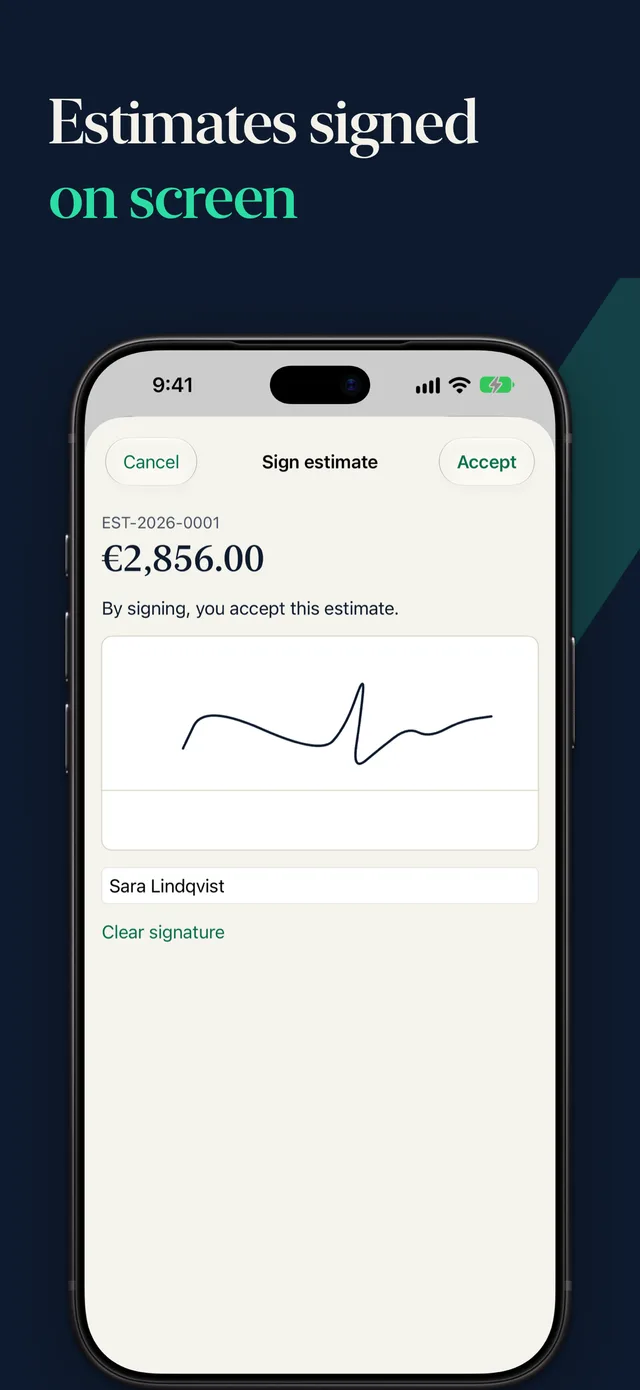
- The client signs the estimate on screen, and it turns into an invoice in one tap.
Free to start with unlimited drafts and three sent documents a month. Recurring invoices, reminders and signed estimates come with Paidly Pro.
Questions
What is a recurring invoice?
An invoice for the same client and usually the same amount, sent on a fixed schedule such as every week, month, quarter or year. Each one is still a separate invoice with its own number and date.
Can a recurring invoice keep the same invoice number?
No. Each invoice in the series needs a new unique number and its own issue date. Only the client, the lines and the schedule repeat.
What is the difference between a recurring invoice and automatic billing?
A recurring invoice is a bill the client still has to pay. Automatic billing charges a saved card or bank mandate without the client acting. Many small businesses use recurring invoices because they need no payment processor.
Should I bill a retainer at the start or the end of the month?
Retainers for availability or a fixed block of work are usually billed in advance, at the start of the period. Usage that changes month to month, such as extra hours, is billed in arrears at the end.
What if the amount changes one month?
Change the lines on that month's invoice only, and explain the difference in the notes. The next invoice goes back to the usual amount unless you agreed a new one.
More invoicing guides
- What to include on an invoice
- Invoice vs receipt
- Net 30 and other payment terms, explained
- How to ask for payment politely
- How to invoice a deposit
- How to cancel or correct an invoice with a credit note
- How to invoice for hours worked
- How to make an invoice on iPhone
- How to write an estimate that turns into an invoice
Invoice templates by trade
Each one opens the generator filled with the lines that trade bills for.
Freelancer invoice template
A project fee, extra hours, payment terms.
Invoice $2,340.00
Cleaning invoice template
Monthly visits, a deep clean, supplies.
Invoice $785.00
Construction estimate template
Labor, materials, a validity date.
Estimate $5,220.00
Photography invoice template
Coverage, second shooter, album, package discount.
Invoice $3,825.00